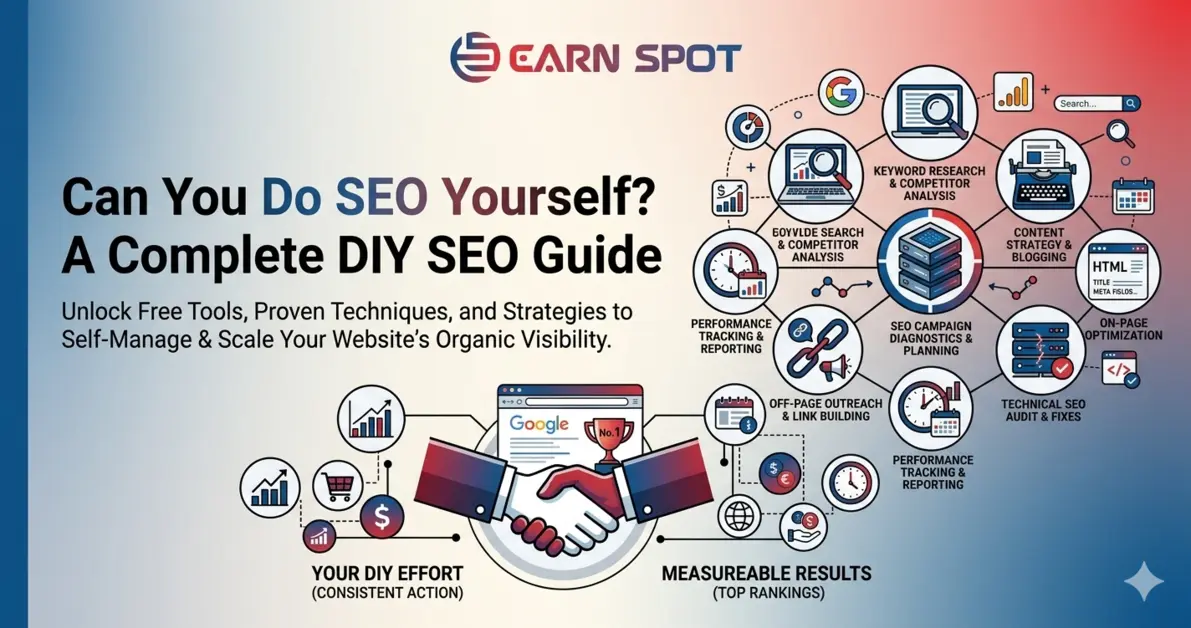
Can You Do SEO Yourself?
Yes, you can absolutely do SEO yourself. You can handle tasks like keyword research, content optimization, and analytics setup with some learning and consistency.
But here’s the reality:
SEO is easy to start, but hard to master.
More advanced areas like technical SEO, link building, and performance optimization require deeper expertise and tools.
So the smarter answer is:
Do the basics yourself. Scale with experts when needed.
What Is DIY SEO?
DIY SEO (Do-It-Yourself SEO) simply means handling your website’s SEO on your own instead of hiring an agency or expert. At its core, DIY SEO is about learning and applying the techniques that help your website rank higher on search engines like Google Search – using your own time, tools, and effort.
What DIY SEO Includes
Keyword research
Keyword research is the process of finding the words and phrases that people type into Google Search when they are looking for something online. It helps you understand what your potential customers are thinking and searching for. For example, if someone needs IT services, they might search for “IT support near me” or “computer repair in Varanasi.” These search terms are called keywords. By using the right keywords in your content, you can make your website appear in search results and attract the right people. In simple terms, keyword research helps you create content that matches what people actually want.
On-page optimization
On-page optimization is the process of improving the content and elements on your website so it can rank better on Google Search. It includes things like writing clear titles, using the right keywords, adding proper headings, and creating useful content for users. The goal is to make your page easy to understand for both visitors and search engines. In simple terms, on-page optimization means making each page of your website clear, relevant, and helpful so it can appear higher in search results.
Content creation
Content creation means writing and sharing useful information on your website to help your audience and attract visitors from Google Search. This can include blog posts, service pages, or simple guides that answer people’s questions. The goal is to provide clear and helpful content using the right keywords so your website can appear in search results. In simple terms, content creation is about giving valuable information to users so they visit your website and trust your business.
Basic analytics tracking
Basic analytics tracking means checking and understanding how people use your website, like how many visitors come, which pages they see, and how long they stay. Tools like Google Analytics and Google Search Console help you see this data. This information helps you know what is working and what needs improvement. In simple terms, basic analytics tracking is about watching your website performance so you can make better decisions and grow your traffic.
Practical Methods That Actually Work for
- Small businesses
- Startups
- Early-stage websites
Practical methods that actually work for small businesses, startups, and early-stage websites are simple SEO actions that give real results without needing a big budget or expert skills. This includes choosing the right keywords, creating helpful content, and making sure your website is clear and easy to use so it can rank better on Google Search. Instead of complex strategies, the focus is on doing the basics consistently, like updating content, targeting local searches, and tracking performance. In simple terms, these are easy and effective steps that help new or small websites grow their visibility and attract the right customers.
How to Do SEO Yourself (Step-by-Step)
Start With an SEO Audit
Start With an SEO Audit means checking your website to understand what is working well and what needs improvement before you start SEO. It is like a health check for your website. You review things like page speed, mobile friendliness, broken links, and whether your content is clear and useful. You can use simple tools like Google Search Console to find errors and performance issues. This step helps you avoid mistakes and build a strong base. In simple terms, an SEO audit helps you know where you stand so you can improve your website step by step and rank better on Google Search.
Before doing anything, it is important to understand where your website stands. An SEO audit helps you find errors, check how your website is performing, and decide what to fix first. You should look at things like page speed, mobile usability, broken links, and indexing issues using tools like Google Search Console. This process gives you a clear starting point and helps you plan improvements step by step. In simple terms, an SEO audit is your baseline that shows what needs to be improved so your website can rank better on Google Search.
Do Keyword Research (The Foundation)
Do keyword research because it is the foundation of SEO and helps you understand what your audience is searching for on Google Search. Instead of targeting broad keywords, you should focus on long-tail keywords, buyer-intent keywords, and question-based searches, as they are easier to rank and bring the right audience. For example, instead of using a general keyword like “SEO,” you can target something more specific like “how to do SEO yourself for small business.” This helps you attract people who are actually interested in your service. In simple terms, keyword research helps you bring qualified traffic, not just more traffic.
Optimize On-Page SEO
Optimize on-page SEO because this is where your rankings actually start improving on Google Search. It means improving important parts of your webpage like title tags, meta descriptions, headings, URL structure, and image alt text so search engines can clearly understand your content. While doing this, always keep your writing natural and easy to read, and avoid adding too many keywords in an unnatural way. In simple terms, on-page SEO helps your website become clear, relevant, and easier to rank in search results.
Optimize:
- Title tags
- Meta descriptions
- Headings (H1–H3)
- URL structure
- Image alt text
Keep it natural. Avoid keyword stuffing.
Create High-Quality Content
Create high-quality content because it is one of the most important factors for ranking on Google Search. Good content should solve real problems, match what people are actually searching for, and be easy to read and understand. As a business owner, you already know your customers’ needs, which gives you a strong advantage in creating useful content. In simple terms, high-quality content helps you connect with your audience and improves your chances of ranking higher in search results. Content is the biggest ranking factor.
Optimize Your Local Presence
If you serve a local audience, this is critical. Optimize your local presence so your business can appear in nearby searches on Google Search. This means setting up and improving your Google Business Profile with correct details like your business name, address, phone number, and working hours. You should also add photos and collect customer reviews to build trust. This helps your business show up when people search for services in your area. In simple terms, optimizing your local presence helps you attract more nearby customers and grow your business.
Do this:
- Optimize your Google Business Profile
- Keep NAP (Name, Address, Phone) consistent
- Respond to reviews
This improves local rankings and trust.
Track Performance With Analytics
Without tracking, SEO becomes guesswork. Track performance with analytics to understand how your website is performing on Google Search. Tools like Google Analytics and Google Search Console help you see how many people visit your site, which pages they view, and what keywords bring traffic. This data helps you understand what is working and what needs improvement. In simple terms, analytics tracking helps you make better decisions and grow your website step by step.
Monitor:
- Traffic
- Rankings
- User behavior
- Conversions
Tools like Google Analytics and Search Console help you make better decisions.
SEO Tasks You Should NOT Do Alone
Some areas require expertise and can hurt your rankings if done wrong.
Technical SEO
Technical SEO focuses on making your website easy for search engines like Google Search to access and understand. It includes crawlability, which means search engines can visit and read your pages, indexing, which means your pages are stored and shown in search results, and site structure, which means your website is well organized and easy to navigate. In simple terms, technical SEO helps search engines properly read your website so it can appear in search results.
Link Building
Link building means getting other websites to link to your website, which helps improve your trust and rankings on Google Search. This is usually done through outreach campaigns and by earning backlinks from relevant and quality websites. However, not all links are good – poor or spammy links can harm your website and may even lead to penalties. In simple terms, link building is about getting the right links from trusted websites to grow your authority and visibility.
Page Speed Optimization
Page speed optimization means making your website load fast so users have a smooth experience and your site can rank better on Google Search. It includes improving Core Web Vitals, which measure how quickly your page loads, becomes interactive, and stays stable while loading. It may also require code-level fixes like reducing heavy scripts, optimizing images, and improving server response time. In simple terms, faster websites perform better, keep users engaged, and have a higher chance of ranking well.
Schema Markup
Schema markup means adding extra code to your website to help search engines like Google Search understand your content better. It is also called structured data, and it gives clear information about your pages, like business details, reviews, services, or products. This can help your website show rich results, such as ratings or extra details, in search listings. In simple terms, schema markup helps search engines read your content more clearly and display it in a better way.
Ongoing SEO Strategy
Ongoing SEO strategy means continuously improving your website so it can stay competitive on Google Search. It includes checking what your competitors are doing, updating your content, and adjusting your strategy based on changes in search engine algorithms. SEO is not a one-time task, it needs regular effort and updates to maintain and improve rankings. In simple terms, ongoing SEO is about consistently working on your website so it keeps growing and performing well over time.
Pros and Cons of DIY SEO
DIY SEO has both advantages and challenges when you try to improve your website rankings on Google Search by yourself. The biggest benefit is cost savings, as you do not need to hire an agency, and you get full control over your strategy while learning valuable skills. It also allows you to understand your business and customers better, which helps in creating more relevant content. However, it can take time to learn and implement, results are usually slow, and mistakes like choosing the wrong keywords or poor optimization can affect your rankings. In simple terms, DIY SEO is affordable and gives control, but it requires time, patience, and consistent effort to see real results.
Pros
- Saves money
- Full control
- Builds in-house skills
- Complete visibility
DIY SEO offers several clear benefits when working to improve your rankings on Google Search. It helps you save money since you don’t need to hire an agency, and it gives you full control over your strategy and decisions. At the same time, you build in-house skills that can benefit your business long term, and you get complete visibility into what is happening with your website. In simple terms, DIY SEO lets you manage everything yourself while learning and growing your business.
Cons
- Time-consuming
- Steep learning curve
- Limited tools
- Risk of mistakes
DIY SEO also comes with some challenges when trying to improve your rankings on Google Search. It can be time-consuming because you need to learn and apply everything yourself, and there is often a steep learning curve, especially in the beginning. You may also have limited access to advanced tools, which can slow down your progress. Along with that, there is a risk of mistakes, such as poor optimization or choosing the wrong strategy. In simple terms, DIY SEO requires time, effort, and careful learning to avoid errors and get good results.
DIY SEO vs Freelancer vs Agency
| Option | Best For | Limitation |
|---|---|---|
| DIY SEO | Beginners, small websites | Time & expertise |
| Freelancer | Specific tasks | Limited scale |
| Agency | Growth-focused businesses | Higher cost |
Agencies provide teams, tools, and faster execution.
How Difficult Is SEO to Do Yourself?
How difficult SEO is to do yourself depends on a few important factors while trying to rank on Google Search. It depends on your website size, the level of competition in your industry, your experience, and how much time you can give. If you have a small website, it is usually manageable, but if you are in a highly competitive niche, it becomes more challenging and requires more effort. Also, DIY SEO does not give instant results and usually takes around 3 to 6 months to show visible improvement. In simple terms, DIY SEO can be easy or difficult based on your situation, but it always needs time, patience, and consistency.
SEO often takes 3 – 6 months to show results.
Real Example: DIY SEO Workflow
A real DIY SEO workflow is a simple process you can follow to improve your website step by step on Google Search. You start by finding the right keyword, then create useful content around it, and optimize the page so it is clear and easy to understand. After that, you publish the content, track how it performs, and make improvements based on the results. This is not a one-time task, you need to repeat this process regularly. In simple terms, DIY SEO works best when you follow a simple cycle and stay consistent.
Here’s a simple workflow you can follow:
- Find keyword
- Create content
- Optimize page
- Publish
- Track results
- Improve
Repeat consistently.
Best Tools for DIY SEO
Best tools for DIY SEO are the ones that help you do keyword research, track performance, fix issues, and improve content without needing advanced skills. The good news is, you don’t need expensive software to get started—many free tools can handle most of your DIY SEO work.
Here are some of the most useful and beginner-friendly tools:
Google Search Console
Google Search Console is a free tool that helps you understand how your website performs on Google Search. It shows important data like how many people visit your site, which keywords bring traffic, and which pages are ranking. It also helps you find issues like indexing problems, errors, or pages that are not showing in search results. In simple terms, Google Search Console helps you monitor, fix, and improve your website so it can perform better in search. helps you see how your website performs on search results, including clicks, impressions, and indexing issues. It is one of the most important free tools for DIY SEO.
Google Analytics
Google Analytics is a free tool that helps you understand how people use your website from Google Search and other sources. It shows data like how many visitors come to your site, which pages they visit, how long they stay, and where they leave. This helps you understand user behavior and see what is working or not. In simple terms, Google Analytics helps you track your website performance and make better decisions to grow your traffic. Shows how users behave on your website, like which pages they visit and how long they stay. It helps you understand what is working and what needs improvement.
Google Keyword Planner
Google Keyword Planner is a free tool that helps you find keyword ideas for your website using data from Google Search. It shows how many people search for a keyword, how competitive it is, and suggests related keywords you can target. This helps you choose the right keywords for your content. In simple terms, Google Keyword Planner helps you find what people are searching for so you can create content that ranks. Helps you find keyword ideas, search volume, and competition so you can target the right keywords.
Ubersuggest
Ubersuggest is an easy-to-use SEO tool that helps you find keyword ideas, check competition, and get content suggestions based on what people search on Google Search. It also gives basic insights like traffic estimates, backlinks, and site audit reports. This makes it useful for beginners who want to improve their website without using complex tools. In simple terms, Ubersuggest helps you plan and improve your DIY SEO with simple data and suggestions.is useful for keyword research, content ideas, and basic DIY SEO audits, especially for beginners.
Screaming Frog SEO Spider
Screaming Frog SEO Spider is a tool that scans your website to find technical SEO issues that can affect your rankings on Google Search. It checks things like broken links, missing titles, duplicate content, and page errors. This helps you fix problems that may stop your website from performing well. In simple terms, Screaming Frog SEO Spider helps you quickly find and fix technical issues on your website. Helps you find technical issues like broken links, missing tags, and page errors by scanning your website.
Ahrefs and SEMrush
Ahrefs and SEMrush are advanced SEO tools that help you improve your website performance on Google Search. They provide detailed data for keyword research, competitor analysis, backlinks, and site audits. These tools are usually used when you want deeper insights and faster growth compared to basic tools. In simple terms, Ahrefs and SEMrush help you plan stronger SEO strategies and stay ahead of your competition. These are advanced tools for keyword research, backlinks, and competitor analysis, mostly used when you want to scale your DIY SEO.
When Should You Outsource SEO?
You should outsource SEO when managing everything yourself becomes difficult or starts slowing down your growth on Google Search. This usually happens when your website grows, competition increases, or you do not have enough time or expertise to handle advanced SEO tasks. Outsourcing is also helpful when you need technical improvements, strong link building, or a clear long-term strategy. In simple terms, you should outsource SEO when you want faster results, better expertise, and more focus on your core business.
You should consider outsourcing when:
- You lack time
- Growth is slow
- Competition is high
- Technical issues increase
Agencies help you move faster and avoid costly mistakes.
Conclusion
Yes, you can do SEO yourself and improve your website on Google Search. But the best approach is to handle the basic DIY SEO tasks on your own and involve experts when you want to scale faster. This way, you keep control over your strategy, save costs in the beginning, and still get professional support when needed. In simple terms, combining DIY SEO with expert help gives you better results and steady long-term growth.
FAQs
Can I do SEO without hiring an expert?
Yes, you can handle basic SEO tasks like keyword research, content optimization, and analytics setup to improve your website on Google Search.
How long does DIY SEO take to work?
SEO usually takes around 3 to 6 months to show noticeable results, depending on your effort, competition, and consistency.
Is SEO free if I do it myself?
You can save money by not hiring an expert, but you may still spend on tools and need to invest your time and effort.
What is the hardest part of SEO?
Technical SEO and link building are the most complex parts because they require deeper knowledge and proper strategy.
How many hours should I spend on SEO each week?
For small websites, spending a few hours every week is enough in the beginning. The key is consistency rather than spending too much time at once.
Do I need paid tools for DIY SEO?
No, you can start with free tools like Google Search Console and Google Analytics, and upgrade to paid tools later if needed.
Can I rank without backlinks?
Yes, it is possible for low-competition keywords, especially with good content, but backlinks help improve your authority and rankings faster.
What type of content works best for SEO?
Content that solves real problems, answers questions, and matches what users are searching for performs best on Google Search.
Is SEO better than paid ads?
SEO gives long-term results and builds organic traffic, while paid ads give quick results but stop when you stop spending. Both can work together.
How do I know if my SEO is working?
You can track progress using tools like Google Search Console and Google Analytics by checking traffic, rankings, and user behavior.